
How to Better Read Open Source Software — Part 1: Introduction to ERD Tools
· 574 words · 3 minutes reading time Backend Programmer Open Source ERD Rails
How to Better Read Open Source Software — Part 1: Introduction to ERD Tools🔗
Reading quality open source software is one of the best ways to significantly improve your coding skills. Open source projects can sometimes be very large and complex, so having techniques to navigate and understand them is essential. While many articles on this topic exist on platforms like Juejin, this series aims to share some of my own experiences to help you get started. This first article introduces ERD (Entity Relationship Diagram) tools.
What is an ER Model?🔗
The ER (Entity Relationship) model is usually the output of system analysis used to define and describe the key content within the business domain. It does not define business processes but presents business data patterns in a graphical form.
Typically, the ER model consists of entities (represented by boxes) connected by relationships (lines), where the lines represent associations and dependencies between entities. For example, a building can have zero or more apartments, but an apartment belongs to exactly one building.
Entities can be characterized by relationships as well as additional attributes, including identifiers called primary keys. A diagram showing entities, their attributes, and relationships is called an entity-attribute-relationship diagram (ERD).
In practice, ER models are implemented as databases. In a simple relational database, each row represents an instance of an entity type, each column is an attribute, and relationships between entities are implemented via foreign keys.
How ERD Helps in Reading Open Source Projects🔗
ERDs visually represent the data structures and relationships, helping you quickly grasp the backbone of complex systems. This is especially helpful when facing large open source codebases — ERDs highlight the core data models and how they interact, speeding up comprehension.
Example: Generating ERD for Spree E-commerce🔗
Spree is a popular open-source e-commerce platform similar to Shopify. Let's use it as an example to generate an ERD.
git clone git@github.com:spree/spree_starter.git
cd spree_starter
bundle add rails-erd
bundle
On macOS, install Graphviz:
brew install graphviz
Configure your database in config/database.yaml and create the database, then run migrations:
bundle exec rake db:migrate
Generate the ERD:
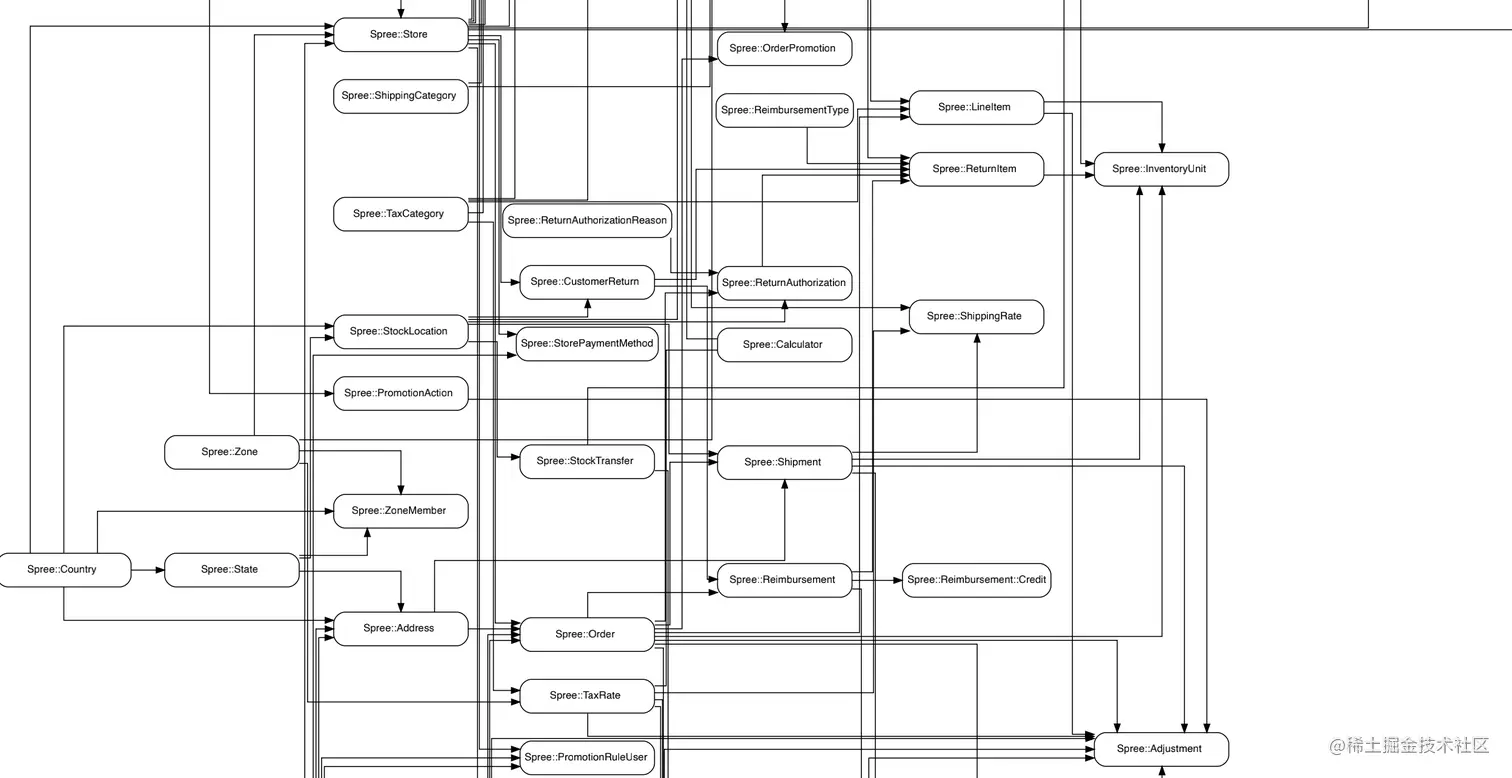
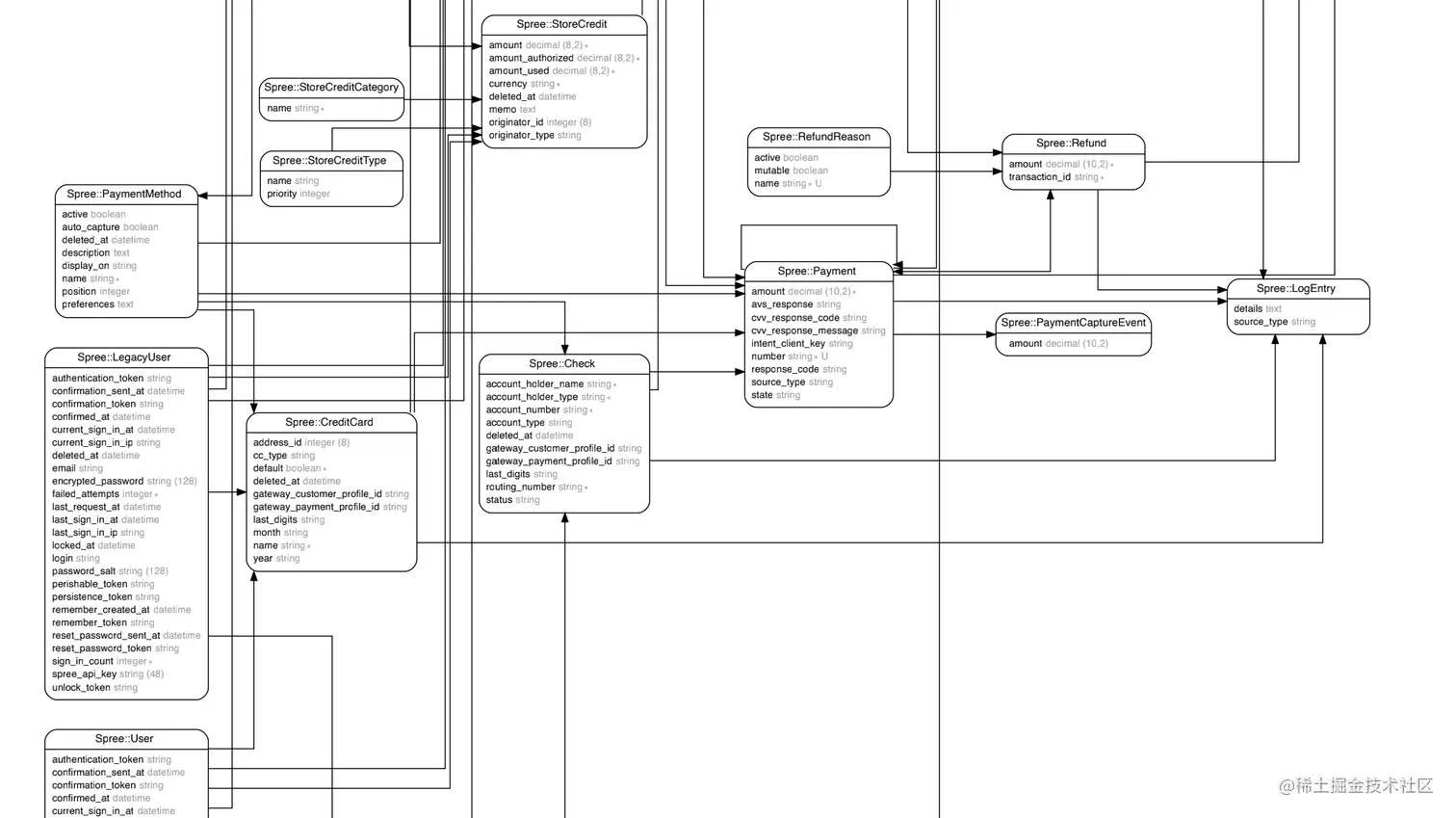
bundle exec erd --notation=simple --direct --orientation=vertical --splines=ortho --connected --attributes=false
You will get a simple diagram showing main entities and their relationships.
Improving ERD with Color🔗
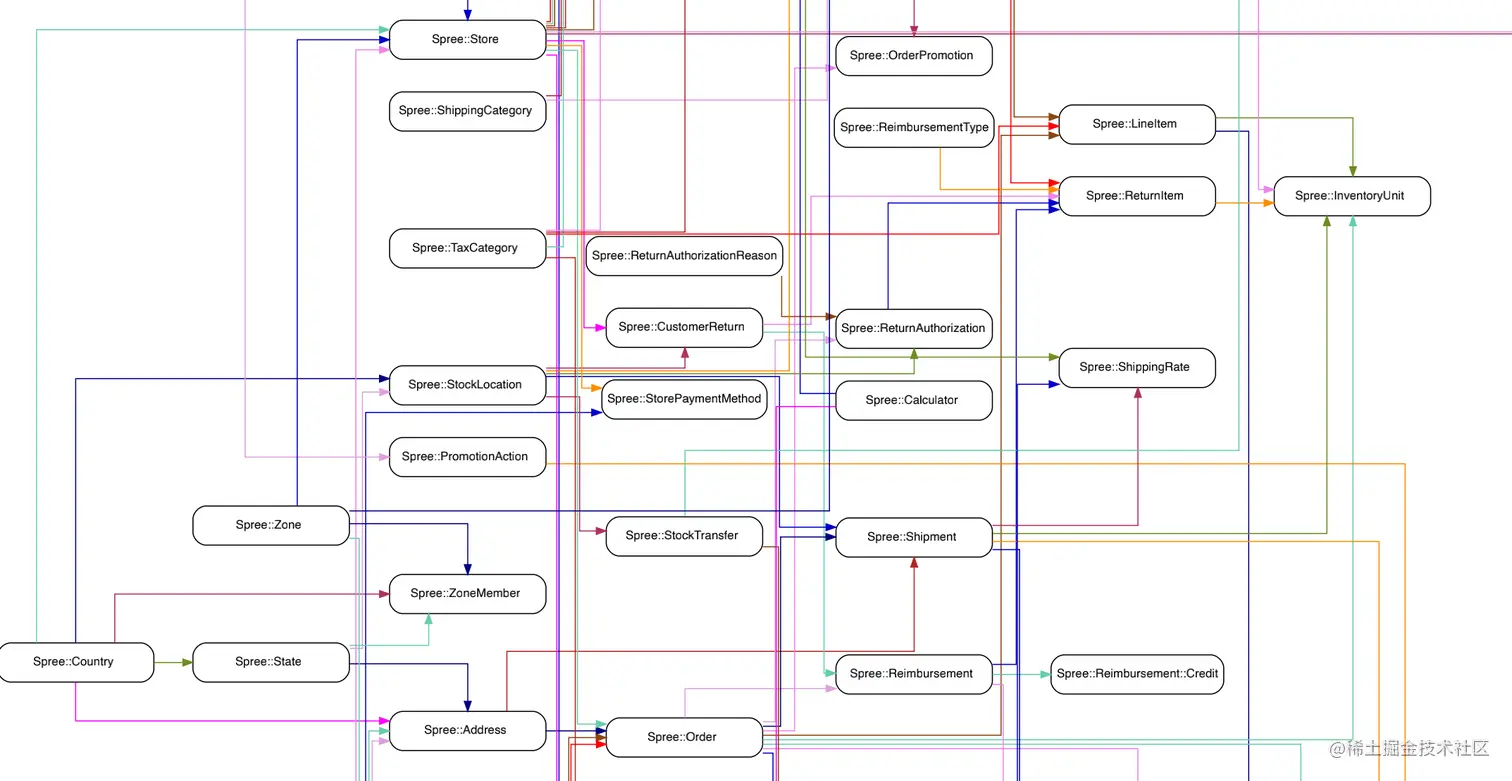
The default ERD can be hard to read with many entities connected together. To improve clarity, change the rails-erd gem source in your Gemfile to a version that supports colors:
gem 'rails-erd', github: "williamhatch/rails-erd"
Then update bundles and regenerate:
bundle
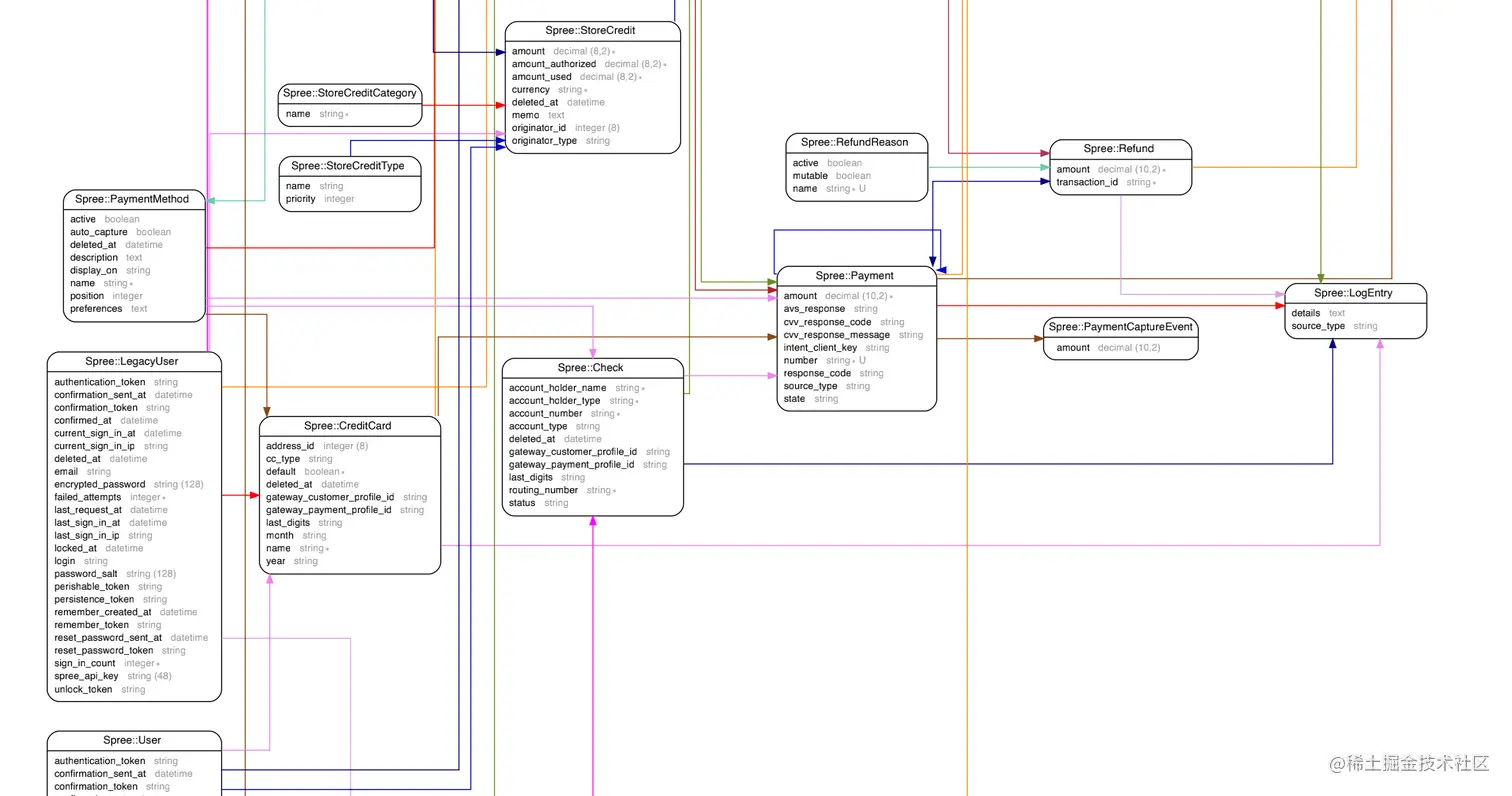
bundle exec erd --notation=simple --direct --orientation=vertical --splines=ortho --connected
The color-coded ERD improves readability by visually distinguishing different modules and their relationships.
Next Steps and Future Plans🔗
- Define entities and their relationships in YAML format, then automatically generate Rails models and colored ERDs.
- Create a web-based drag-and-drop UI (inspired by Strapi admin dashboard) for easier YAML and ERD generation.
- Develop a Nuxt3-based UI to select and generate ERDs only for related modules, making diagrams more focused.
The ultimate goal is to enable drag-and-drop modeling that automatically generates RESTful and GraphQL APIs, supports authentication and logging, and follows Domain-Driven Design (DDD) principles in the backend.
References and Resources🔗
- rails-erd GitHub repository
- Spree Starter GitHub repository
- Original article in Chinese on Juejin: How to Better Read Open Source Software Part 1 (掘金)
Thanks for reading! Feel free to leave a comment or follow me on GitHub for more insights on open source and backend development.